
Age of Wonders 4 QoL Mods: UI and Convenience Picks
Explore Age of Wonders 4 qol mods for smaller combat banners, cleaner setup menus, and faster excavation, with tips for choosing changes that fit the game.
Jump to
Which Mods Improve Readability and Setup?
Crowded battlefields and scattered setup options give you plenty to manage before your next strategic decision. For Age of Wonders 4 qol mods, Smaller Combat Banners and the mod that adds a Mod Config tab address those specific frustrations. Their changes focus on how information appears, while options such as Instant Excavation also change the rules behind an action.
Smaller Combat Banners
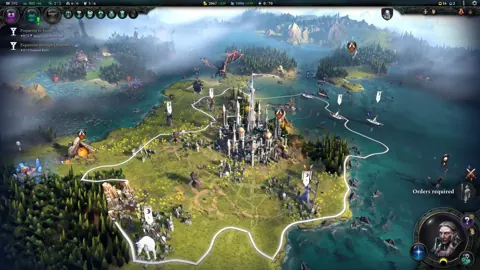
Smaller Combat Banners reduces the size of unit banners during tactical combat. Selecting or targeting a unit enlarges its banner, while other banners remain small.
That behavior gives you a clearer view of the battlefield without keeping every banner at full size throughout a fight. The tradeoff is readability: smaller banners also make their information harder to read at a glance.
Select or target a unit when you need a closer look at its banner. Judge the smaller presentation by how comfortably you can read it during combat, especially when several units are close together.
A Central Mod Config Tab
The mod that adds a Mod Config tab places mod setup settings together in advanced world setup. Each mod retains its own names for its choices.
The useful distinction is organization. You get a shared location for setup options rather than a new set of gameplay rules from the tab itself.
Use each mod’s option names when configuring your realm. Keeping settings together makes them easier to review, but the individual choices still determine what your campaign will change.
Official page: Age of Wonders 4 (paradoxinteractive.com)
Convenience Mods That Change Gameplay
Some changes remove friction by removing a cost or hiding information. Decide whether you want those effects before adding them alongside interface improvements.
 Image: Steam / Triumph Studios
Instant Excavation
Instant Excavation makes excavation immediate and removes its movement-point cost.
That is a substantial convenience change because movement is part of what the action normally consumes. Removing that cost affects the decisions surrounding underground exploration, even though the mod targets a single activity.
Choose it if you specifically want excavation without the movement expense. Keep it separate from your interface-only selections when deciding how closely you want to preserve the base game’s rules.
No Quest Chalice Marker
No Quest Chalice Marker disables the quest marker. Its purpose is to stop the quest symbol from revealing enemies that are invisible or hidden by fog of war.
This changes the information you receive. Removing the marker also means giving up that visual cue, so the appeal depends on whether you want concealed enemies to remain concealed through quest tracking.
Use it when hiding those quest-related location clues matters more to you than retaining the marker.
Separate Interface Changes From New Content
Mod collections often mix presentation tweaks with changes to faction strength, recruitment, and empire development. Those additions can support a different kind of campaign, but their effects extend beyond convenience.
 Image: www.paradoxinteractive.com
Several examples make the distinction clear:
- Banner Bonanza and Age of Colors expand visual customization through banner and color choices.
- Expanded Cultural Units adds units to cultural rosters.
- Starting Racial Transformations makes transformations available through starting society traits.
- Compatible Empire Skills allows empire skills from any branch.
- A Bountiful World multiplies the resources from its covered nodes, materials, wonders, and province improvements by five.
Keep new units, earlier transformations, and resource multipliers out of an interface-focused collection unless you also want their gameplay effects. A cleaner battlefield and a larger economy solve very different problems.
Check Compatibility With the Manta Update
The Manta Update arrived on November 3, 2026, alongside The Silver Seas. Use that update name when reviewing compatibility information for your current game version.
 Image: PlayStation Store
| Compatibility detail | Game information |
|---|---|
| PC platform | Windows |
| Steam mod feature | Steam Workshop |
| Update release | Manta Update — November 3, 2026 |
Choose mods with compatibility instructions that cover the version you are running. Follow their dependency and conflict instructions rather than assuming that a small interface change needs no setup.
Keep Massive Maps and 12 Players separate from attempts to improve responsiveness. It expands campaign scale, and larger games can take substantially longer to process turns. Add it for the larger realm and player count, with that performance tradeoff in mind.
Continue with
 Age of Wonders 4 Mods: Tomes, Units, and Bigger MapsExplore Age of Wonders 4 mods for new tomes, cultural units, faction customization, and larger maps, with practical tips for choosing your next mod setup.
More in Mods
See all Mods
Continue exploring
Join the community
Official channels for news, updates and player help: